
A calmer way to plan your week.
An easy way to manage the weeks tasks. Perfect for freelancers, small teams or just to keep your personal life on track. Now you can focus on the day. Everything else can stay quiet until you're ready.
Free forever for the weekly board and notes. No credit card to start. Want more? Try Pro free for 5 days.
Use it where you already work
We all have our own ways of working and we think you should have choices in life. So we've built it as a WordPress plugin and a web app (with mobile app options being worked on).
In your browser, on any device
Sign in with Google, Microsoft or your email and your week is waiting.
- Nothing to install: open it on your laptop, tablet or phone
- Your tasks are saved to your own account, so they follow you from device to device
- With Pro (web app key): calendar sync with Google or Outlook, and files kept in your own Google Drive or OneDrive
Right inside your WordPress admin
Open it, see Monday to Friday, tick things off — no new place to log in to.
- Upload the zip like any other plugin; nothing to configure
- Tasks and notes stay in your own WordPress database, never on ours
- With Pro (plugin key): Calendar, Team features and reporting. A key works on one website
* The two dashboards are not linked currently and the license key issued will only work with option you choose.
Simple to start. Very capable once the work grows.
Everyone gets the board with the free plan. The rest of the great features ready to use when you're ready
to use them for you or with others... One subscription covers everyone in your circle
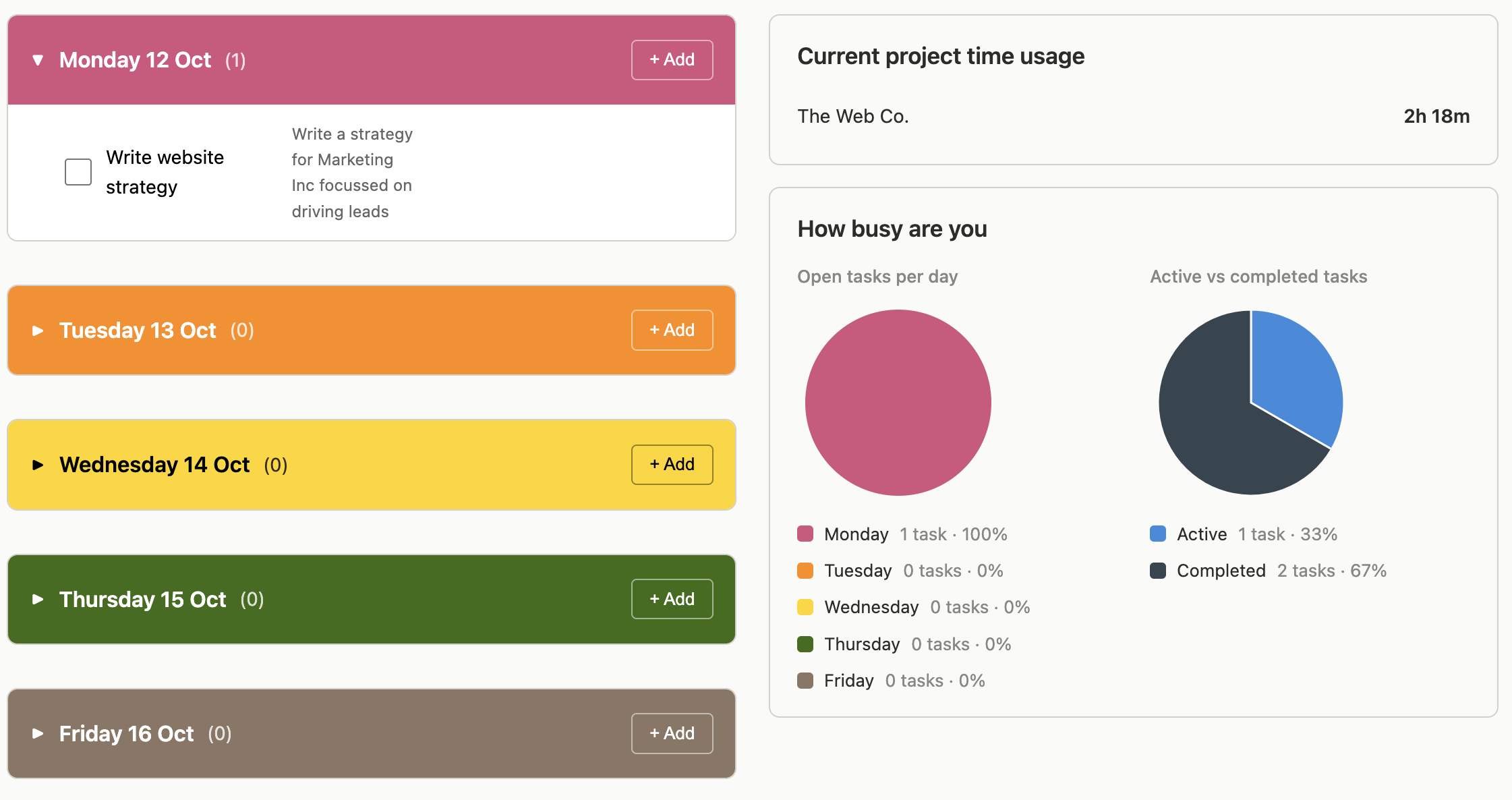
The weekly board
Everything you need to run your own week.
- Add, edit and tick off tasks, Monday to Friday
- Recurring tasks, a Later list, and Completed
- General notes, always on hand
- Solo or a small team - Free covers everyone
Get more sorted with pro
Everything in Free, plus:
- A full Calendar — day, week, month and year views
- Sync your drive and attach files to tasks and projects
- Team features — assign tasks to colleagues
- Time tracking with hourly rates per project
- Project Earning Reports, ready for your books
Up and running in a few minutes
Choose how you work
Open the web app or install the WordPress plugin, whichever suits you. No setup wizard, nothing to configure.
Add your week
Start putting Monday to Friday on the board. Everyone you give access to sees only their own tasks, unless shared.
Switch on Pro
Enter your key and Calendar, Files, Team, Time tracking and reporting unlock in place, with nothing to reinstall.
Two plans, one price each, cancel any time
Try Pro free for 5 days. After that it's billed monthly through Stripe — your key is permanent, so it doesn't need renewing
or re-entering each month, and it switches off on its own if you ever cancel. Choose the plan for where you'll use it.
- 5 days free, cancel before it ends and pay nothing
- Calendar, Team, Time tracking & reporting
- Use it in your browser on any device
- Calendar & file sync with Google or Outlook
5 days free, then £3/month. You'll get your web app key by email right away — enter it on the web app's first screen after you sign in. Cancel any time before the trial ends and you won't be charged.
- 5 days free, cancel before it ends and pay nothing
- Calendar, Team, Time tracking & reporting
- Runs inside your WordPress admin
- Calendar sync with Google or Outlook
5 days free, then £3/month. You'll get your plugin key by email right away — paste it into the plugin's Admin → Plan. A plugin key works on one website. Cancel any time before the trial ends and you won't be charged.
Start free, right now
Open the web app in your browser, or download the plugin and upload it to WordPress. Either way you're on the board in minutes.